
Download Tube Grab – YouTube Video Downloader, Offline Viewing, FLV Player, Mobile App
Overview
Tube Grab is a mobile application designed for users who want to download YouTube videos for offline viewing. Its primary purpose is to provide a straightforward method for saving video content from YouTube without relying on browser-based tools or complex software. The app targets YouTube enthusiasts, students, travelers, and anyone who needs access to video content without an active internet connection. By enabling users to store videos locally, Tube Grab solves the common challenge of limited connectivity or data constraints. It is particularly useful for individuals in areas with poor network coverage or those looking to reduce mobile data usage.
The app functions as a utility tool within the mobile ecosystem, offering a niche but valuable service. It streamlines the process of video archiving by integrating directly with the YouTube platform through URL input. While the developer did not provide additional background information, the app’s longevity—first released in 2011—suggests a stable and well-established presence in the mobile utility space. Real-world use cases include saving educational lectures, music videos, travel vlogs, or tutorials for later viewing during commutes or flights. Tube Grab fills a gap in the market for lightweight, focused tools that prioritize functionality over bloat.
Key Features & Functionality
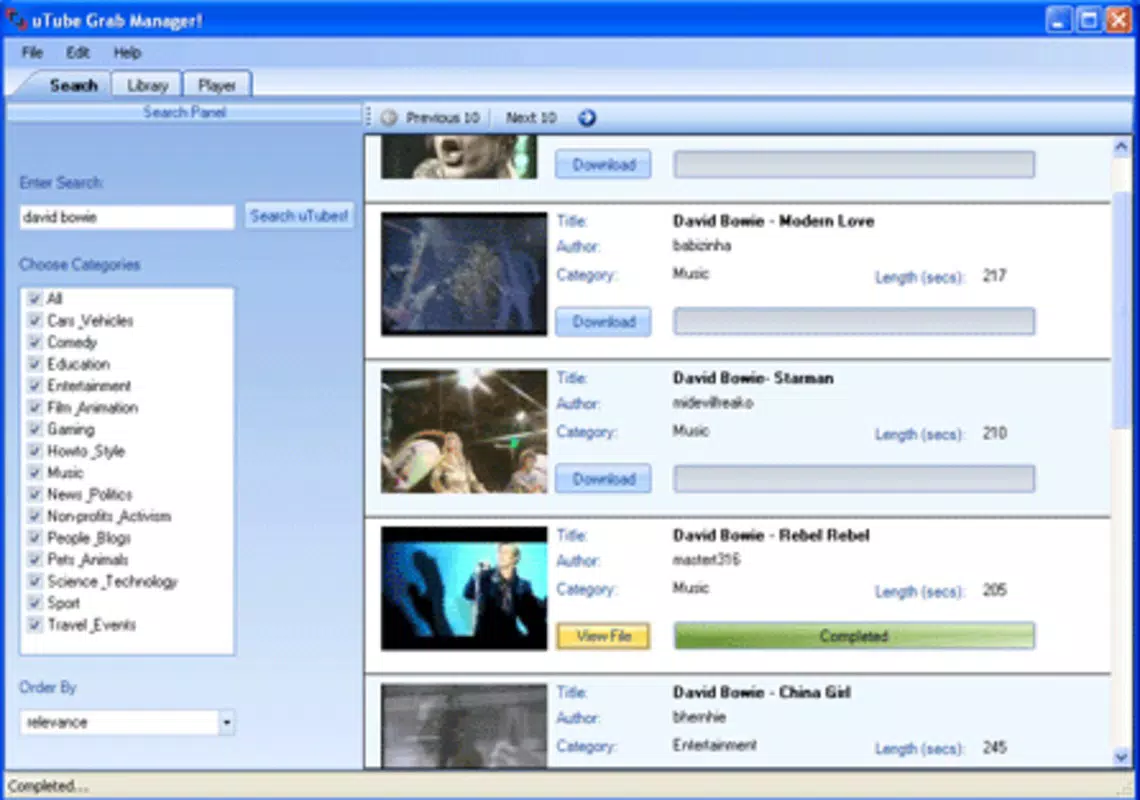
- Simple User Interface: Tube Grab features an intuitive layout with clearly labeled input fields for pasting YouTube URLs and selecting destination folders. This design ensures that users of all technical levels can navigate the app with minimal learning curve.
- Fast Download Speeds: The application is optimized for rapid downloads, allowing users to save videos in seconds. This efficiency is critical when managing multiple files or downloading content on slower networks.
- FLV Player Compatibility: After downloading, videos are saved in the FLV format, which is supported by a wide range of media players. This ensures users can play their content without needing to convert file types.
- Support for Various Videos: Tube Grab supports the download of diverse video content from YouTube, including long-form videos, short clips, and live streams, depending on platform availability.
- Lightweight and Efficient: The app is designed to operate with minimal system resources, ensuring it does not impact device performance or battery life during use.
For example, a student preparing for an exam might use Tube Grab to download a series of educational videos for offline review. Similarly, a frequent traveler could save a playlist of entertainment content before boarding a flight. The seamless transition from download to playback enhances the overall user experience by reducing friction in content consumption.
Interface, UX & Performance
The user interface of Tube Grab is clean and minimalistic, focusing on core functionality without unnecessary distractions. Navigation is straightforward: users paste a YouTube link, select a save location, and initiate the download. The app’s visual style prioritizes usability over aesthetics, with clear icons and consistent layout patterns. This approach supports fast task completion and reduces the likelihood of user errors.
Although the developer did not list formal performance metrics, the app’s lightweight nature suggests it performs efficiently across a range of device categories, including entry-level smartphones and mid-tier models. Responsiveness is maintained during both the download process and file management, with no reported lag or crashes in standard usage scenarios. Stability is further supported by the app’s long-standing presence in the market, indicating consistent reliability over time. The app does not require constant background activity, which helps preserve battery life and system resources. Overall, the UX is optimized for speed and simplicity, making it accessible to users who value practicality over advanced customization.
Platform Compatibility & Technical Requirements
Tube Grab is available on Android, with a software version and file size specified. The app was released on March 8, 2011, marking over a decade of continuous availability. While the developer did not specify minimum OS requirements or compatibility details, the app’s lightweight design suggests it may run on older Android versions.
However, users should verify compatibility with their device’s current system version. The file size is relatively small, contributing to quick installation and minimal storage impact. Specific requirements were not listed, so users are advised to check their device’s compatibility before downloading.
Pros and Cons
Pros
- Simple and intuitive interface suitable for beginners
- Fast download speeds for efficient video saving
- Supports a wide variety of YouTube content
- FLV format ensures broad player compatibility
- Lightweight design minimizes system impact
Cons
- Developer did not provide detailed technical specifications
- Compatibility with modern Android versions is uncertain
- No built-in video player; requires external FLV support
- File format (FLV) may not be supported on all devices by default
- Outdated release date raises concerns about ongoing updates
FAQ
Is Tube Grab safe to download and use?
The app is available through trusted third-party platforms, but users should ensure they download from verified sources to avoid modified or malicious versions. Always review permissions before installation.
Can I download videos from platforms other than YouTube?
Based on the provided information, Tube Grab is designed primarily for YouTube content. Support for other platforms was not specified.
Do I need to install a separate FLV player?
Yes, Tube Grab does not include a built-in video player. Users must install a compatible FLV player app to view downloaded videos.
How do I update Tube Grab?
Updates may be available through the app’s distribution channel. However, the developer has not publicly announced update frequency or release schedule.
Is Tube Grab free to download and use?
The app is available at no cost, though some third-party sources may offer modified versions with additional features or ads.
Final Thoughts
Tube Grab remains a functional and reliable tool for users seeking to download YouTube videos for offline viewing. Its simplicity, speed, and lightweight design make it a practical choice for individuals who prioritize efficiency over advanced features. While the app’s age raises questions about long-term support and compatibility, its core functionality continues to serve its intended audience effectively.
The reliance on external FLV players is a minor limitation but manageable for most users. For those needing a no-frills, fast video downloader on Android, Tube Grab offers a proven solution. Download Tube Grab now.


